8 September 2026
What to Expect During Your First Pen Test
A founder's guide to penetration testing, from a team that's run hundreds of them

If you're building a digital health product, at some point a customer, investor, or regulator is going to ask: "Has this had a pen test?"
Penetration testing for NHS digital compliance sits at the heart of frameworks like DTAC, DSPT, and ISO 27001, so if you're deploying any tech into the NHS, the answer needs to be yes!

An introduction to penetration testing
For a lot of founders and CTOs, especially those coming from outside regulated industries, the 'have you completed a penetration test?' question can sound scary. Pen testing sounds expensive, technical, and vaguely like an exam you haven't revised for... Someone you've never met is about to try and break the thing you've spent months building, and then write a report about it!
Pen tests are incredibly valuable for platform security and assurance. This is especially true in the era of AI-assisted development where the need for reassurance that your product is safe is increasingly internal as well as external.
At Assuric, we've coordinated hundreds of pen tests between digital health startups and our network of CREST and Cyber Scheme/CSTL-accredited testing partners, and we've heard every version of this concern.
The good news: the concern is almost always unfounded. A pen test isn't a pass/fail exam on your ability as a developer, and it isn't there to catch you out.
A pen test is a structured, well-understood process with a genuinely useful outcome at the end of it. This blog is our attempt to demystify that process, so that by the time you book your first one, you're looking forward to it rather than dreading it.
Why pen testing matters more than ever
Penetration testing has always mattered for healthtech, for the obvious reason that you're handling some of the most sensitive data that exists: patient records, clinical histories, mental health data, safeguarding information. Strong security controls in healthtech environments aren't a nice-to-have on top of good product design, they're the foundation that good product design has to sit on.
AI-assisted, "vibe-coded" development has made it faster than ever to ship a working product. It has not made it faster to ship a secure one. Tools that generate functional code by default don't reliably generate code with access controls, authentication, or data isolation baked in, because these things are rarely explicit in the prompt.
A recent industry scan of roughly 380,000 applications built on popular AI coding platforms found that around 5,000 of them were publicly leaking sensitive data, and healthcare information featured heavily among the exposures, including clinical trial data from a UK health company and hospital doctor-patient summaries sitting on the open web. None of that required a sophisticated attack. It required someone finding the URL.
There’s a lot more to say about securing AI-assisted and vibe-coded products, which we’ll explore in a separate blog, coming soon!
So what actually is a pen test?
An easy definition is “getting hacked by someone you trust”! More specifically, a pen test is when a qualified, independent security expert tries to break into your application on purpose, using the same techniques a real attacker would, and then tells you exactly what they found and how to fix it.
The "independent" part matters as much as the "expert" part. Regulators, enterprise customers, and NHS trusts don't just want to hear you say your product is safe, understandably, since you're not exactly a neutral party. A pen test gives you a third-party validated opinion: someone with no stake in your roadmap, working to a recognised methodology, has actively tried to compromise your system and can put their name to what they found (or didn't).
This is really the crux of how pen testing supports healthcare compliance more broadly: frameworks like DTAC don't just want you to claim your product is secure, they want documented, independent evidence of it. A pen test report is that evidence.
What to expect from a penetration test: from start to finish
If you're mapping out the steps to integrate penetration testing into NHS compliance programs, this is roughly the shape it will take, from first conversation through to the finished report and beyond.
1. Scoping
Before anyone starts poking at your app, a good tester will want to understand it. Expect a kick-off call (sometimes called a scoping, onboarding or teach-back) where you walk them through what your product does, how it's architected, who the users are, and where the sensitive data lives.
The more context you give a tester upfront, the more of their limited time gets spent actually testing rather than reverse-engineering your app from scratch.
You can expect questions like:
- What does the application actually do, and who are the different user roles (patients, clinicians, admins)?
- How is authentication and authorisation handled?
- How many pages / features and endpoints are there?
- Is there a staging environment, or will this be tested live?
- What third-party services, APIs, or integrations does it depend on?
- Where does patient data live, and how does it flow through the system?
You'll almost certainly be asked to provision test credentials for each user role. This isn't optional box-ticking, it's what turns a shallow "black-box scan" into a genuine, thorough assessment of what an authenticated user (or a malicious one impersonating a patient or clinician) could actually do inside your app.
2. The statement of work
Before testing begins, you'll receive a Statement of Work (SoW). This sets out the scope (which systems, URLs, and environments are in play), the methodology, the dates, and importantly, the indemnity and authorisation for the tester to actually attack your systems without you calling the police.
You'll need to review and sign this. It sounds bureaucratic, but it's protecting both sides, and it's also your chance to make sure the scope actually covers what you think it does!
3. Conducting the test
Testing can happen against a staging environment or live in production, depending on your setup and risk appetite. Both are legitimate approaches, and your tester will help you decide which makes sense.
Duration depends entirely on the size and complexity of your system, but as a rule of thumb, expect somewhere in the region of 3-6 days of active testing for a typical healthtech application. Larger or more complex systems (multiple integrations, complex role structures, native mobile apps) will need more.
4. Having your app hacked (in a good way)
This is the part people tend to imagine as the scary bit, and it's actually the most reassuring once you're in it.
Good testers don't sit on findings until the final report. If they uncover something high-risk during testing, expect to hear about it immediately, often via a quick call or message, so you can start thinking about remediation straight away rather than waiting for the final report.
Think of this less as "being hacked" and more as having a security-minded colleague narrating discoveries in real time.
5. The report
At the end of testing, you'll receive a pen test report. Most founders receiving their first report expect a wall of red flags designed to alarm them. But that’s not what a good pen test report is. It’s a clear, structured breakdown of every vulnerability found, how severe it is, how it could be exploited, and practical remediation advice for fixing it.
Severity is usually communicated using CVSS (Common Vulnerability Scoring System), an industry-standard scale that scores vulnerabilities from 0–10 based on factors like exploitability and impact, and maps them to Low/Medium/High/Critical ratings.
This gives you a common language to prioritise fixes and to communicate risk to your board, investors, or regulators, all without everyone needing to become a security expert. Good testers write these reports to actually be used and implemented: clear enough that your engineering team can pick it up and start fixing things without needing a translator.
6. Fix and re-test
Once you've addressed the findings, most reputable providers will offer a free re-test or re-validation to confirm the fixes actually work and haven't introduced anything new.
This is one of the things worth checking upfront when choosing a provider, as pricing for re-testing and additional support can vary significantly!
7. Pen Test report Your stamp of approval
Once identified issues are remediated and re-tested, your report can be updated to reflect the final, resolved state of the application.
This is generally what regulators and enterprise customers are actually looking for: not a perfect first result (nobody expects that), but evidence that issues were found, taken seriously, and fixed. This becomes your evidence for DTAC, DSPT, ISO 27001, or whichever framework you're working towards, and in general, a very useful thing to show prospective customers during due diligence and procurement processes.
8. Repeat
A pen test is a snapshot, not a certificate that lasts forever. Most frameworks and sensible security practice expect testing on an annual cadence, and additionally whenever you ship significant new features, especially anything touching authentication, data access, or new integrations. We recommend building it into your release cadence rather than treating it as a one-off hurdle. In the long run, this also means it stops feeling like an event and starts feeling like routine maintenance.
First-time pen testing takeaways
Pen testing can feel intimidating the first time round, mostly because it's unfamiliar and involves inviting a stranger to actively try and break your work.
But, once you've been through the process, most founders come out the other side with something valuable: real, independently validated confidence in what you've built. Overall, it's one of the best ways to sleep soundly knowing your patients' data is genuinely safe, and one of the clearest signals you can give customers that you take that seriously too.
Read more about how penetration testing fits into wider NHS compliance requirements below 👇
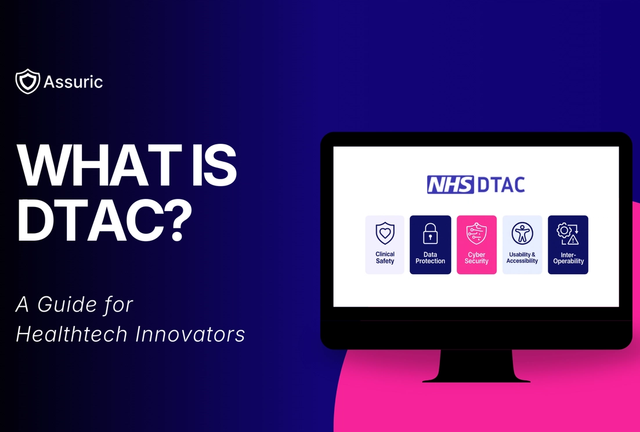
Penetration Testing FAQs
We often get answered lots of questions from confused founders completing their first penetration test, so we've compiled a few that keep coming up!
What's the difference between a pen test and a vulnerability scan?
A vulnerability scan is automated: software checks your systems against a database of known issues and flags matches. It's fast and cheap, but shallow, it won't find business logic flaws, chained exploits, or anything that requires actual human creativity to spot. A pen test is manual and thorough, carried out by a qualified human actively trying to break your application the way a real attacker would. For regulated healthtech, a manual pen test is the expected standard; a vulnerability scan alone generally won't satisfy DTAC, DSPT, or similar requirements.
How do I choose a pen test provider?
Look for reputable, recognised accreditations, both for the company and the individual testers carrying out the work. CREST and CRT (CREST Registered Tester) are the most commonly cited credentials in the UK, but they're not the only game in town.
What actually is CREST?
CREST (the Council of Registered Ethical Security Testers) is a not-for-profit accreditation body that independently assesses both testing companies and individual testers against defined technical, quality, and ethical standards. It's the most widely recognised accreditation in the UK and internationally, and reports from CREST-accredited providers are accepted across NHS, financial services, and government frameworks. It's worth knowing that CREST sits alongside, rather than above, other recognised bodies like The Cyber Scheme, both are recognised by the NCSC for delivering government and public sector-grade testing (CHECK status), so either is a solid signal of quality.
How can I prepare for a pen test?
No specific preparation is required beyond giving your tester what they need to do a thorough job: access, context, and test credentials. Discovering issues is the entire point of the exercise, so don't feel you need to have a spotless application going in. That said, following OWASP guidance and general security best practice as you build will set you up for a smoother, more reassuring first result, and fewer surprises.
How much does a pen test cost?
It varies with scope and complexity, but expect testing to be priced on a day-rate basis, with typical rates reflecting the seniority and accreditation of the testers involved. The number of days required depends on the size of your application, and any reduction in scope or days will be reflected transparently in the final report, so you always know exactly what was, and wasn't, covered.